Is it safe to paste text into AI tools? For everyday text, like your own essay draft or a general question, it's usually fine. For private or confidential information, it often isn't, because what you paste leaves your device and may be stored by the company that runs the tool.
That doesn't mean you should stop using AI writing tools. It means treating a chatbot more like an email to a company than a note on your own computer. You wouldn't email your bank password to a stranger, and you shouldn't paste it into a chatbot either.
This guide explains what happens to text you paste, what the UK's national cyber security agency advises, a simple guide to what's safe to share, and habits that protect you.
Is it safe to paste text into AI tools?
It's usually safe to paste your own non-sensitive writing, public information or general questions into a reputable AI tool. It isn't safe to paste passwords, account numbers, other people's personal details, confidential work data or private records. Text you paste is sent to the provider, may be stored, and may be used to improve future models depending on the tool and your settings.
What happens to text you paste into a chatbot?
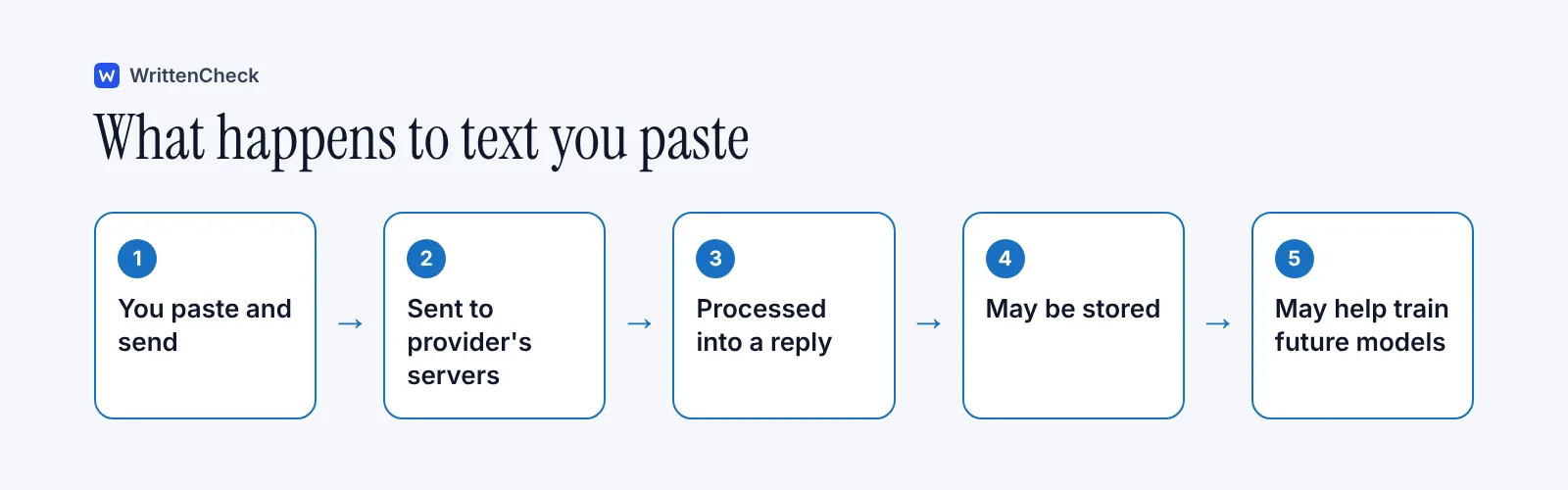
It leaves your device and goes to the company that runs the tool. In March 2023, the UK's National Cyber Security Centre (NCSC) published a plain-language explanation of the risks.
The NCSC made a few points that still hold:
The model doesn't instantly learn from you. Information in your query isn't automatically added to the model for other users to retrieve.
The provider can see your queries. They are stored, and the provider, or its partners and contractors, may be able to read them.
Queries may be used for future versions. The NCSC said they will likely be used to develop future models.
Stored data can leak. Like any stored data, queries could be hacked, leaked or accidentally made public.
Its advice was simple: don't include sensitive information in queries to public AI tools, and read the terms of use and privacy policy before asking anything sensitive. Many tools now offer settings to limit how your chats are stored or used for training, so it's worth checking what yours offers.
What should you never paste into an AI tool?
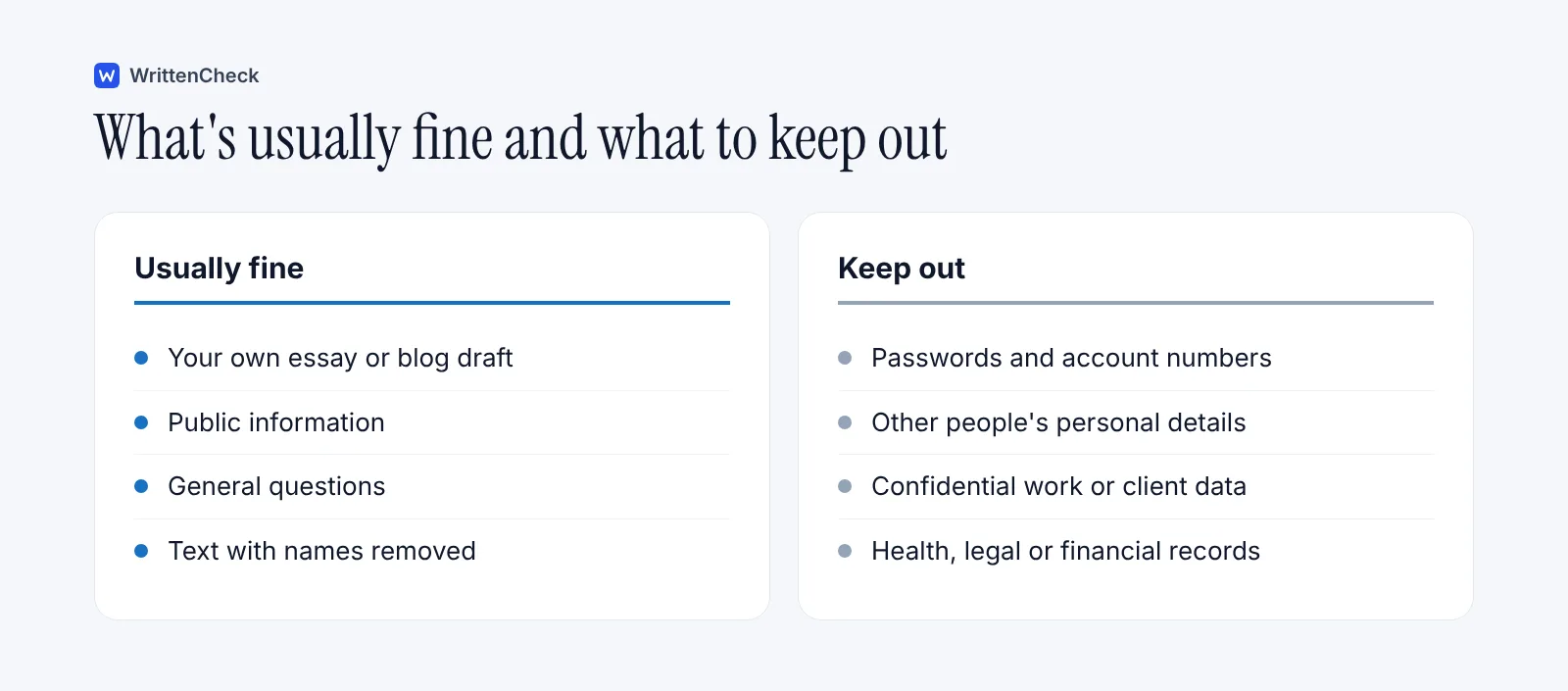
Anything you'd be upset to see leaked, read by a stranger or used to train a future model. As a rule, keep these out:
Don't paste | Why |
|---|---|
Passwords, PINs and security codes | Anyone who sees them can access your accounts |
Card, bank or ID numbers | Risk of fraud and identity theft |
Other people's personal details | It isn't your information to share |
Confidential work or client material | You may be breaking a contract or company rule |
Health, legal or financial records | Highly sensitive and hard to undo if exposed |
Unpublished research or exam papers | Confidentiality and academic rules may apply |
The same caution is old advice in a new place. Purdue's Online Writing Lab has long reminded people that email isn't private by default, and advises never sending usernames, passwords or account numbers by email, because messages can be forwarded, left open or printed. Text you paste into an AI tool deserves at least the same care, since it's stored on someone else's computer too.
What happened when employees pasted company data into AI?
One well-known case came from Samsung in 2023. As CNBC reported on 2 May 2023, the company temporarily restricted employees from using generative AI tools on company computers after finding cases of misuse. According to Bloomberg, some staff had uploaded sensitive code to an AI chatbot.
Samsung told employees to take precautions when using these tools outside work and not to enter personal or company information into them. In a company-wide survey, 65% of respondents said they were concerned about security risks from generative AI services.
The lesson isn't that AI tools are dangerous. It's that pasting is easy and the consequences aren't obvious in the moment.
What do schools and universities say?
Many have rules about which tools can handle which kinds of data. Harvard's guidelines, for example, say not to enter confidential data, which it defines as its "Level 2 and above" information, into publicly available generative AI tools. That includes non-public research data, finance and HR information, student records and medical information. Such data may only go into tools Harvard's security office has assessed and approved, which come with contract protections, including assurances that the data won't be used to train the vendor's models.
Other universities set similar rules for staff. Harvard's Faculty of Arts and Sciences, for instance, requires documented student permission before original student work is entered into a generative AI tool. Our post on AI feedback on student writing covers that in more detail.
If you're a student or employee, check whether your school or employer offers an approved AI tool. Those versions often come with stronger privacy protections than free consumer accounts.
How can you use AI tools more safely?
A few habits cover most of the risk.
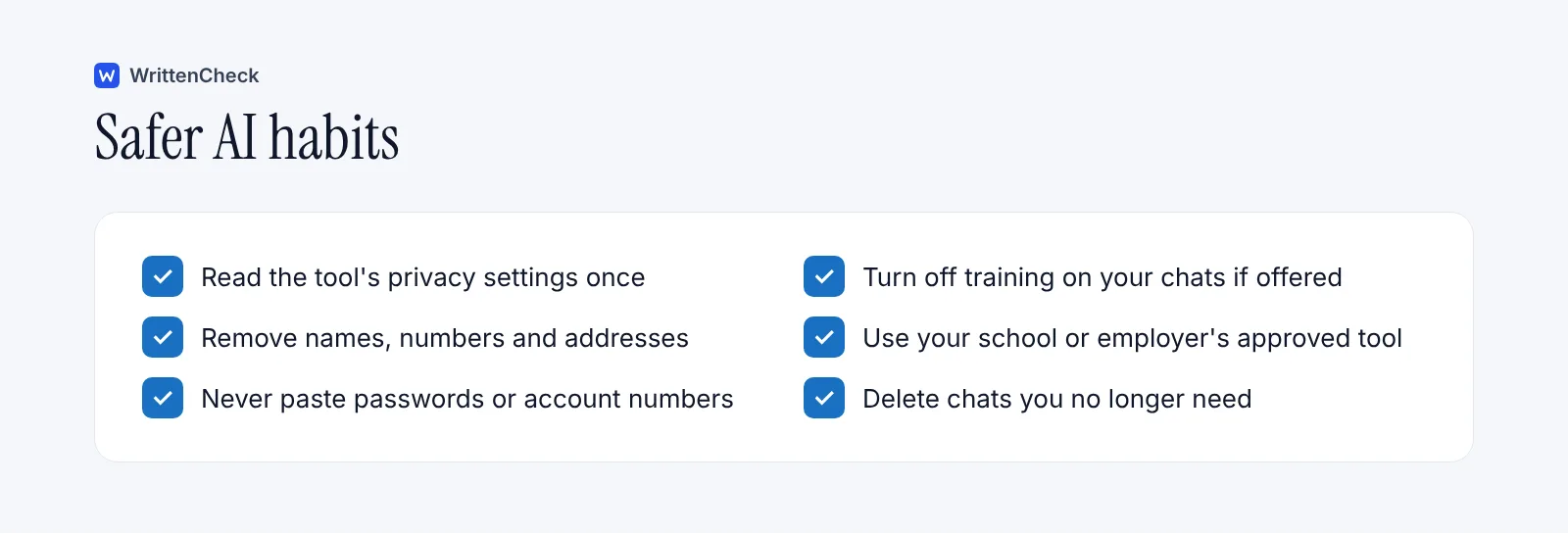
Check the privacy settings once. Look for options about chat history and whether your conversations are used for training.
Remove identifying details. Replace names with "Person A", delete phone numbers and addresses, and change specific figures if they aren't needed.
Paste less. Share only the paragraph you need help with, not the whole document.
Use approved tools for school or work. They're more likely to have contract protections.
Never paste secrets. Passwords and account numbers have no place in a chatbot.
Clean up. Delete chats you no longer need, if the tool allows it.
Here's an example of removing details before asking for help:
Before: Please rewrite this complaint to Dr. Imran Shah at Lakeview Clinic about my blood test on 4 March, reference LC-20931.
After: Please rewrite this complaint to a clinic about a delay in getting test results. Keep it polite and under 120 words.
You get the same writing help without sharing the doctor's name, the clinic, the date or the reference number.
Is it safe to paste your own essay or writing?
For most people, pasting your own non-sensitive writing into a reputable tool is a low risk. The main things to think about are your course rules and how the tool handles your data.
Check whether your course allows AI help, and whether you need to disclose it. Our review of university AI policies shows how much this varies. If your writing includes personal stories about other people, remove or change their names first.
When you use our free AI detector, your text is checked on our own server. It isn't sent to any other AI service, and we don't keep it. If you clean up copied text first, our Text Cleaner runs entirely in your browser. Whatever tool you use, it's worth reading how it handles your text.
What about AI tools built into apps you already use?
AI features are now built into many email programs, word processors and phones. The same principles apply. Find out whether the feature sends your text to an outside service, check the settings, and follow your organisation's rules for work documents.
Our guide to the ethical use of AI covers the wider questions of when and how to use these tools responsibly.
Frequently asked questions
Does AI save what I paste into it?
Often, yes. The UK's National Cyber Security Centre explained in 2023 that queries to public AI tools are stored and visible to the provider, and are likely to be used to develop future versions. Many tools let you limit chat history or training use in their settings. Check the privacy policy of the tool you use.
Can other people see what I type into a chatbot?
Other users can't simply look up your chats, and the model doesn't instantly learn your query for others to retrieve. But the provider, and possibly its partners and contractors, may be able to read stored conversations, and stored data can be leaked or hacked. Treat anything you paste as something a stranger might one day see.
Is it safe to use AI for work emails and documents?
It depends on your employer's rules and the tool. Many organisations ban putting confidential or client information into public AI tools, and some provide approved tools with stronger protections. Remove names and sensitive details, follow company policy, and ask your IT or data protection team if you're unsure.
What should I do if I pasted something sensitive?
Delete the conversation if the tool allows it, and check whether there's a way to request deletion of your data. If you pasted a password, change it straight away. If you pasted work or client data, tell your manager or data protection officer, since your organisation may need to act. Next time, remove sensitive details first.
Is it safe to paste my essay into an AI detector?
It depends on the detector and how it handles your text. Check whether it stores your text, shares it with other services or uses it for training. WrittenCheck checks text on its own server, doesn't send it to any other AI service and doesn't keep it. Read the privacy policy of any tool you use.
Are paid AI tools more private than free ones?
Sometimes. Business and education versions of AI tools often come with contracts that limit how your data is stored or used for training. Free consumer versions may use your chats to improve their models unless you change the settings. Don't assume, though. Read the privacy terms for the exact version you use.
Sources
ChatGPT and large language models: what's the risk?, UK National Cyber Security Centre, Dave Chismon and Paul J, 14 March 2023
Report on Samsung restricting staff use of generative AI tools, CNBC, 2 May 2023
Generative AI guidelines, Harvard University Information Technology, accessed November 2026
Generative AI guidance for faculty, Harvard FAS Office of Undergraduate Education, accessed November 2026
Email Etiquette, Purdue Online Writing Lab, accessed November 2026


Comments