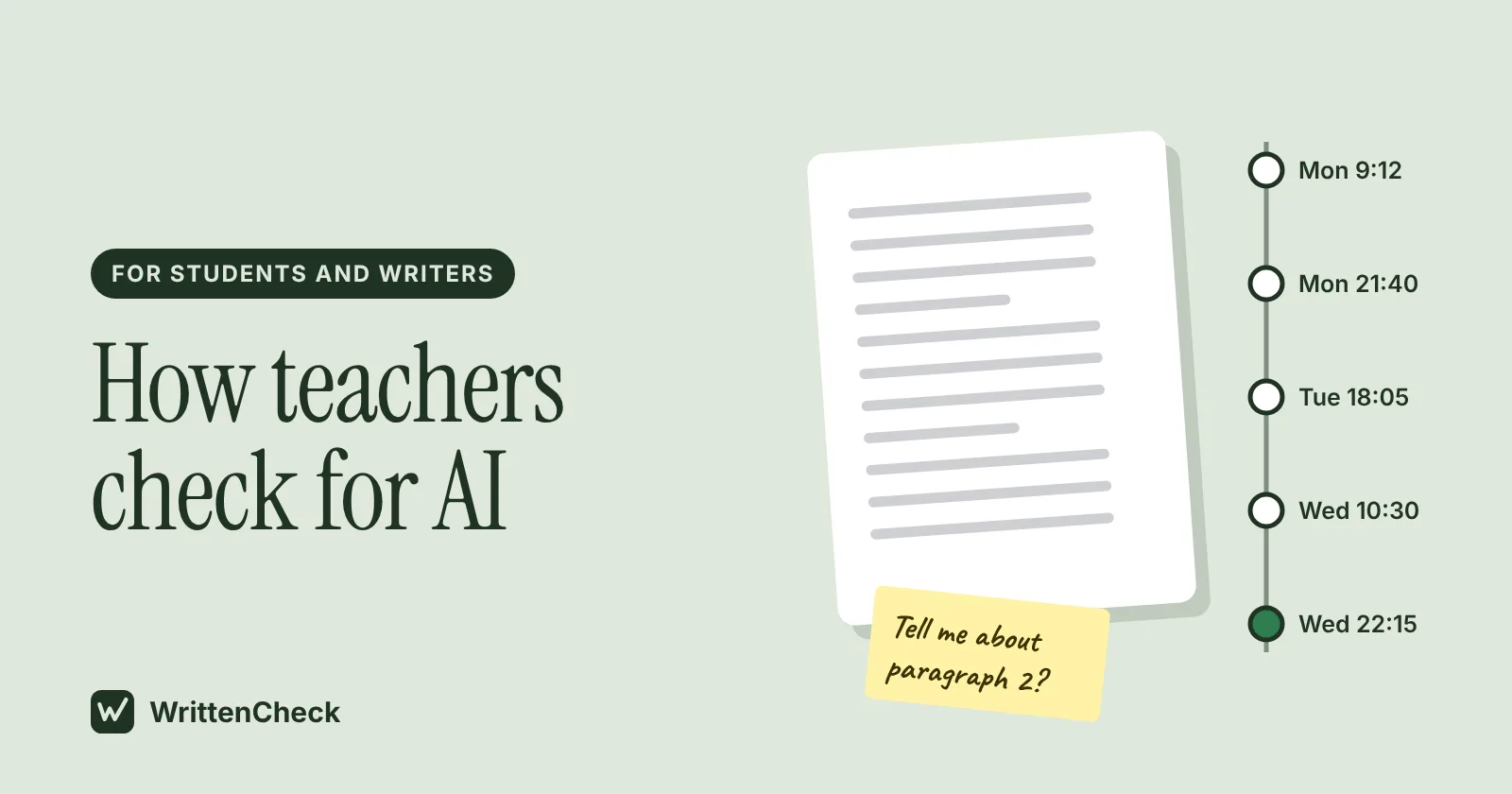
Most students picture a teacher pasting an essay into a detector and getting a verdict. That does happen. But it's usually the start of a check, and rarely the end of one.
So how do teachers check for AI? They compare your work with what they've seen from you before. They look at drafts and version history. They ask you about your own essay. And many do run it through an AI detector, which gives them a score to weigh alongside everything else.
This guide explains each method honestly, including the limits teachers themselves are warned about. It ends with simple ways to keep your writing process visible, so a question about your work never turns into a crisis.
How do teachers check for AI?
Teachers check for AI by looking for a mismatch between the work and the student. They compare an essay with your earlier writing, check drafts or document version history, ask you to explain your ideas or sources, and sometimes run the text through an AI detector. Good practice treats each signal as a reason to look closer. No single one counts as proof.
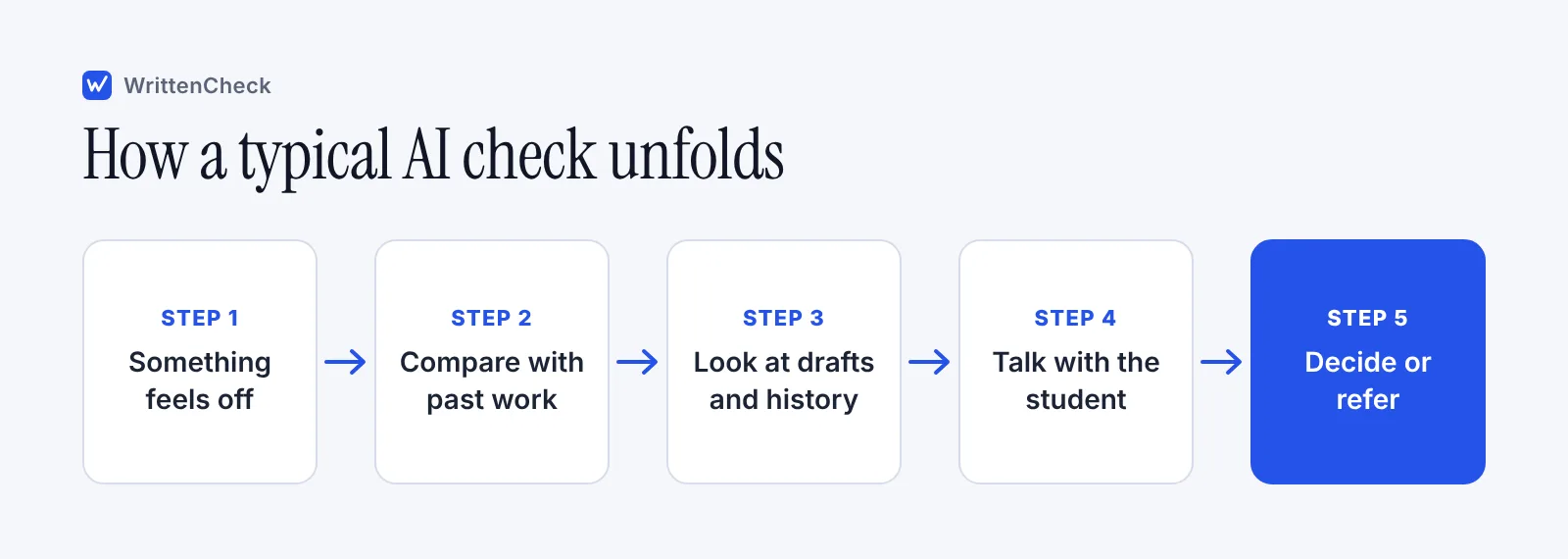
The University at Buffalo, for example, tells its instructors that a case needs more than an AI detection report. Its guidance suggests comparing the work with an in-class or earlier writing sample, and talking with the student about both the content and how they made it. A student who prepared the work "should be able to talk to you about how they did it," the guidance says.
That pattern shows up across many schools. Here's what each step looks like from the teacher's side.
Can teachers detect AI just by reading?
Sometimes they notice something, yes. Teachers read a lot of student writing, and they know yours. What they usually spot is a change from how you normally write.
Common things that make a teacher look twice:
A sudden jump in voice or polish. Your last three essays had a certain rhythm and a few habits. This one sounds like a different person.
Content that doesn't match the class. The essay covers ideas you never discussed, or skips the reading the prompt asked about.
Sources that don't exist. AI chatbots can invent quotes, page numbers or whole articles. Buffalo lists "notable inaccuracies" as a warning sign for this reason.
Generic answers to a specific prompt. The prompt asked about a scene from chapter 4, and the essay talks about "themes of identity" in general.
None of these prove anything. Writers improve. Students get help from a tutor or a writing center. And plenty of careful human writing is smooth and formal. A good teacher treats these as questions, which is why the next steps matter more.
Do teachers use AI detectors?
Many do. In a survey of 460 US public school teachers in grades 6 to 12, run in November and December 2023, the Center for Democracy and Technology (CDT) found that 68% reported regularly using an AI content detection tool. That was a 30 point jump from the year before.
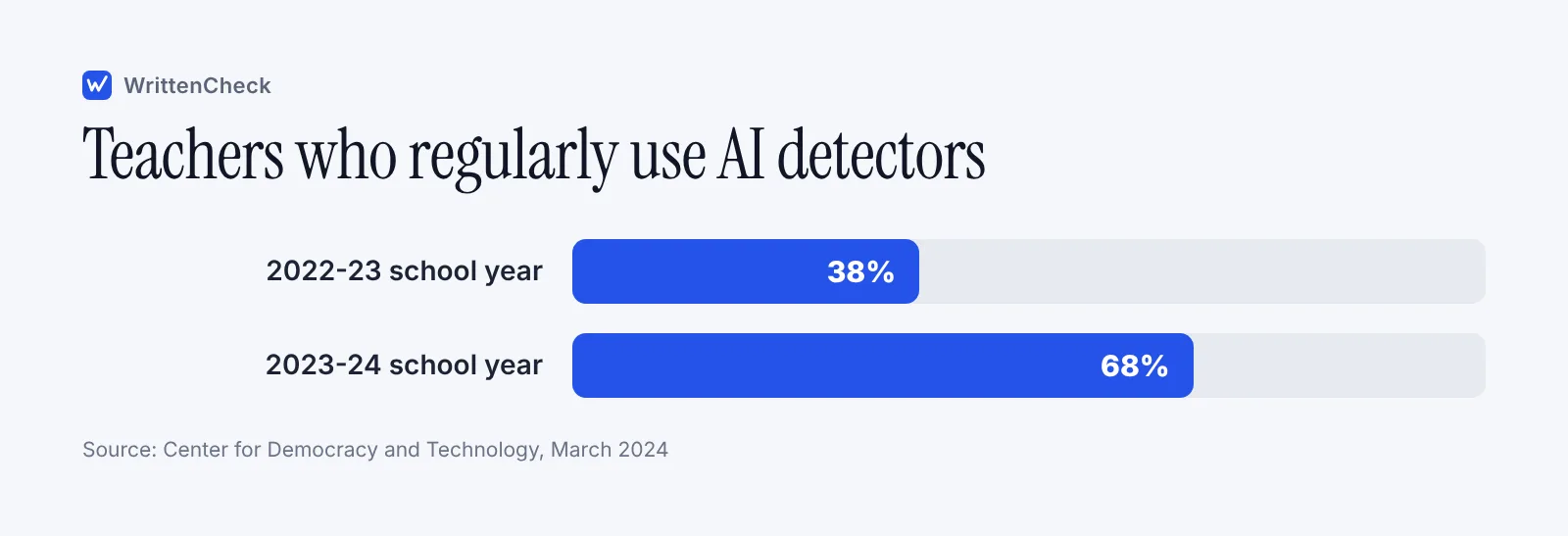
Numbers vary by survey and by how the question is asked. A separate CDT survey of about 1,000 teachers, reported by K-12 Dive in January 2025, put regular use at 39%. NPR, reporting on CDT data in December 2025, said more than 40% of 6th to 12th grade teachers used detection tools during the previous school year. The honest summary is that a large share of teachers use them, and the share depends on the school.
Survey | Who was asked | What it found |
|---|---|---|
CDT, published March 2024 | 460 teachers, grades 6 to 12, Nov to Dec 2023 | 68% regularly used an AI detection tool; 78% said their school sanctioned one |
CDT, reported January 2025 | 1,006 teachers, grades 6 to 12, 2023-24 | 39% regularly used detection tools |
CDT, reported by NPR in December 2025 | Teachers, grades 6 to 12, 2024-25 | More than 40% used detection tools |
Can professors detect AI too?
College instructors use the same methods, though policies differ a lot from one campus to the next. Some universities discourage detectors altogether. MIT Sloan's teaching technology team, for example, publishes guidance titled "AI Detectors Don't Work. Here's What to Do Instead," which points instructors toward clear policies and assignment design.
So the answer depends on your school and even your instructor. Check your syllabus. It often says whether a detector is used and what counts as allowed AI use.
What can an AI detector show, and what can't it?
An AI detector estimates how likely it is that text was written by a language model. It can show patterns. It can't show what you did.
Most detectors look at how predictable the word choices are and how much the sentences vary. If you want the mechanics, our explainer on how AI detectors work walks through them in plain English.
Here's what that means in practice.
A detector can show | A detector can't show |
|---|---|
Which passages read most like AI text | Whether you used AI on this assignment |
An overall estimate with some uncertainty | How long you spent writing |
Patterns like very even, predictable sentences | Whether a tutor, a grammar tool or AI helped |
A reason for a teacher to look closer | Intent, effort or your notes and drafts |
The limits are real. In a 2023 study published in Patterns, Weixin Liang and colleagues at Stanford tested seven detectors on 91 essays written by non-native English speakers for the TOEFL exam. On average, the detectors labeled 61.22% of those human essays as AI-generated. Simpler vocabulary and sentence structure, common for people writing in a second language, looked "predictable" to the tools.
Short texts and heavily edited text are also hard for any detector. We go into this in are AI detectors accurate. This is why so many school guides say a score alone isn't enough.
How do teachers use version history?
Version history is a record of how a document changed over time. Google Docs saves it automatically, and teachers who share a document or ask for edit access can scroll through it. It's one of the most useful tools teachers have, and it works in your favor if you wrote the work yourself.
In Google Docs, according to the Google Docs Help page "Find what's changed in a file," you open the document on a computer and click Last edit at the top right to browse earlier versions. You need edit permission to see it. You can also name versions, up to 40 per document.
In Microsoft Word, version history works for files saved to OneDrive or SharePoint. A file that only lives on your laptop doesn't keep it.
What a teacher looks for in version history:
Writing that grows over time. Sessions across days, sentences rewritten, paragraphs moved. That's what real drafting looks like.
A huge paste at once. A full essay appearing in one minute can raise questions. It doesn't prove AI use, since you might have drafted somewhere else first. But you'd want those earlier files ready.
Edits that match the feedback. If the teacher commented on your draft and the next version responds to it, that's a strong sign of your own work.
Why do teachers ask questions about your essay?
A short conversation is often the fastest way to settle doubts. If you wrote it, you can usually explain it. The questions aren't a trap. They're the same kind you'd get in a seminar.
Here's an example of what a teacher might ask:
"What made you pick this example for your second paragraph?" "Where did you find this statistic? Can you show me the source?" "This sentence says the policy failed. What would you say to someone who disagrees?" "Can you rewrite this paragraph in your own words right now?"
Some teachers also ask for a short in-class writing sample on the same topic. That isn't a punishment. It gives them a fair comparison.
If you get asked to meet, bring your drafts, notes and sources. Reread your essay first. You'd be surprised how much you forget about your own argument in two weeks.
How can you protect yourself if a teacher checks for AI?
The best protection is a process anyone can see. You don't need to change how you write. You just need to leave a trail.
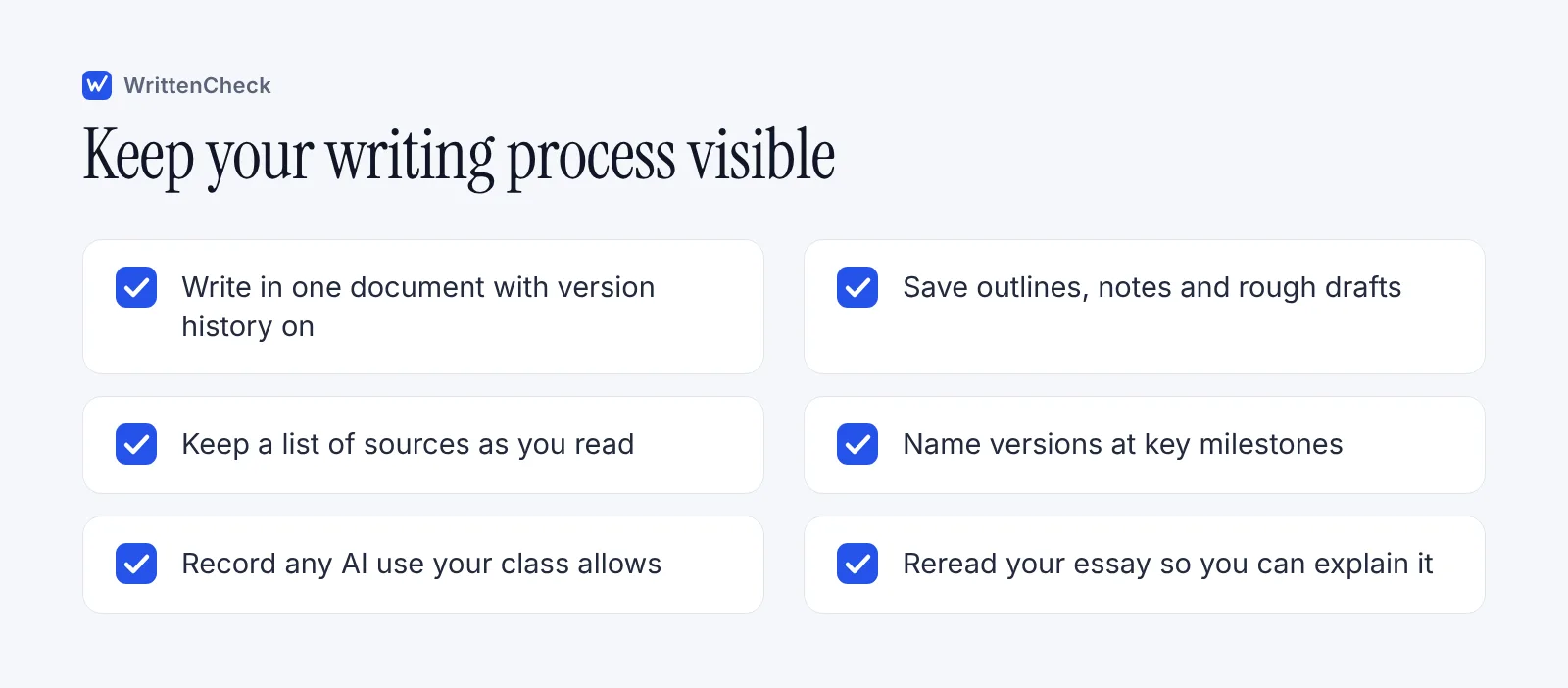
Follow these steps on your next assignment:
Read the AI policy first. Your syllabus or assignment sheet should say what's allowed. If it doesn't, ask. "Can I use AI to check grammar?" is a normal question.
Draft in one tracked document. Google Docs, or Word saved to OneDrive, keeps version history for you.
Save your thinking. Keep the outline, rough notes, and any photos of handwritten brainstorming.
Track your sources as you go. A simple list with links and page numbers saves time and proves you did the reading.
Disclose any allowed AI use. If your class permits AI for brainstorming or feedback, note how you used it. The rules come from your teacher, so follow their format.
Reread before you submit. Make sure you can explain every claim and every source in your own words.
You can also paste a draft into our free AI detector before you submit. It highlights the sentences that read most like AI, which can show you where your writing has gone flat or generic. Treat it as feedback on style, and keep your drafts as your real evidence.
If a teacher does raise a concern, stay calm and ask what they saw. Then share your version history and notes. Most conversations end there.
Frequently asked questions
Can teachers tell if you used AI without a detector?
Sometimes. Teachers know your earlier work, so they notice sudden changes in voice, topics the class never covered, or sources that don't exist. They may also ask you to explain your essay or write a short piece in class. None of these signs is proof on its own, and a fair teacher will look at drafts and talk with you before deciding anything.
Do all schools use AI detectors?
No. Use varies a lot. A Center for Democracy and Technology survey from late 2023 found 68% of US middle and high school teachers regularly used one, while other surveys found lower figures. Some universities discourage detectors because of false positives. Your syllabus or school integrity policy is the best place to check what your class does.
Can an AI detector prove I used AI?
No. A detector gives an estimate based on patterns in the text, such as how predictable the word choices are. It can be wrong, especially on short texts, heavily edited writing and writing by people using a second language. Many schools say a detector score can't be the only evidence in an academic integrity case.
What does version history show my teacher?
It shows when the document was edited and what changed in each session. A teacher can see a draft growing, paragraphs being rewritten and edits made after feedback. In Google Docs, people need edit access to see it. If you pasted in text from another file, keep that file too, so you can show where the earlier work happened.
Should I check my own work with an AI detector before submitting?
You can, as long as you treat the result as feedback. A sentence-level view can point to passages that sound flat or generic, which are often worth rewriting anyway. Don't panic over a score. Your drafts, notes and sources are far stronger evidence of your own work than any number.
What should I do if my teacher thinks I used AI?
Stay calm and ask what made them concerned and which policy applies. Then share your version history, drafts, notes and sources, and offer to talk through your essay. Most concerns clear up at this stage. If it goes further, your school will have a formal process with a chance to respond and appeal.
Sources
Report: Up in the Air: Educators Juggling the Potential of Generative AI with Detection, Discipline, and Distrust, Center for Democracy and Technology, March 27, 2024
Generative AI survey research (full report PDF), Center for Democracy and Technology, March 2024
More Teachers Are Using AI-Detection Tools. Here's Why That Might Be a Problem, Education Week, April 5, 2024
Student, teacher AI use continued to climb in 2023-24 school year, K-12 Dive, January 15, 2025
AI detection tools are unreliable. Teachers are using them anyway, NPR, December 16, 2025
GPT detectors are biased against non-native English writers, Liang et al., Patterns, July 2023
Artificial Intelligence Guidance for instructors, University at Buffalo Office of Academic Integrity, 2025
AI Detectors Don't Work. Here's What to Do Instead, MIT Sloan Teaching & Learning Technologies, accessed October 2026
Find what's changed in a file, Google Docs Editors Help, accessed October 2026
How to Use Version History in OneDrive and Microsoft 365, HP Tech Takes, July 31, 2026


Comments